Table of Contents


Ready to create more pipeline?
Get a demo and discover why thousands of SDR and Sales teams trust LeadIQ to help them build pipeline confidently.



Net-New Contacts jobs can now kick off automatically when an account field updates, the same trigger pattern Instant Enrichment already uses.
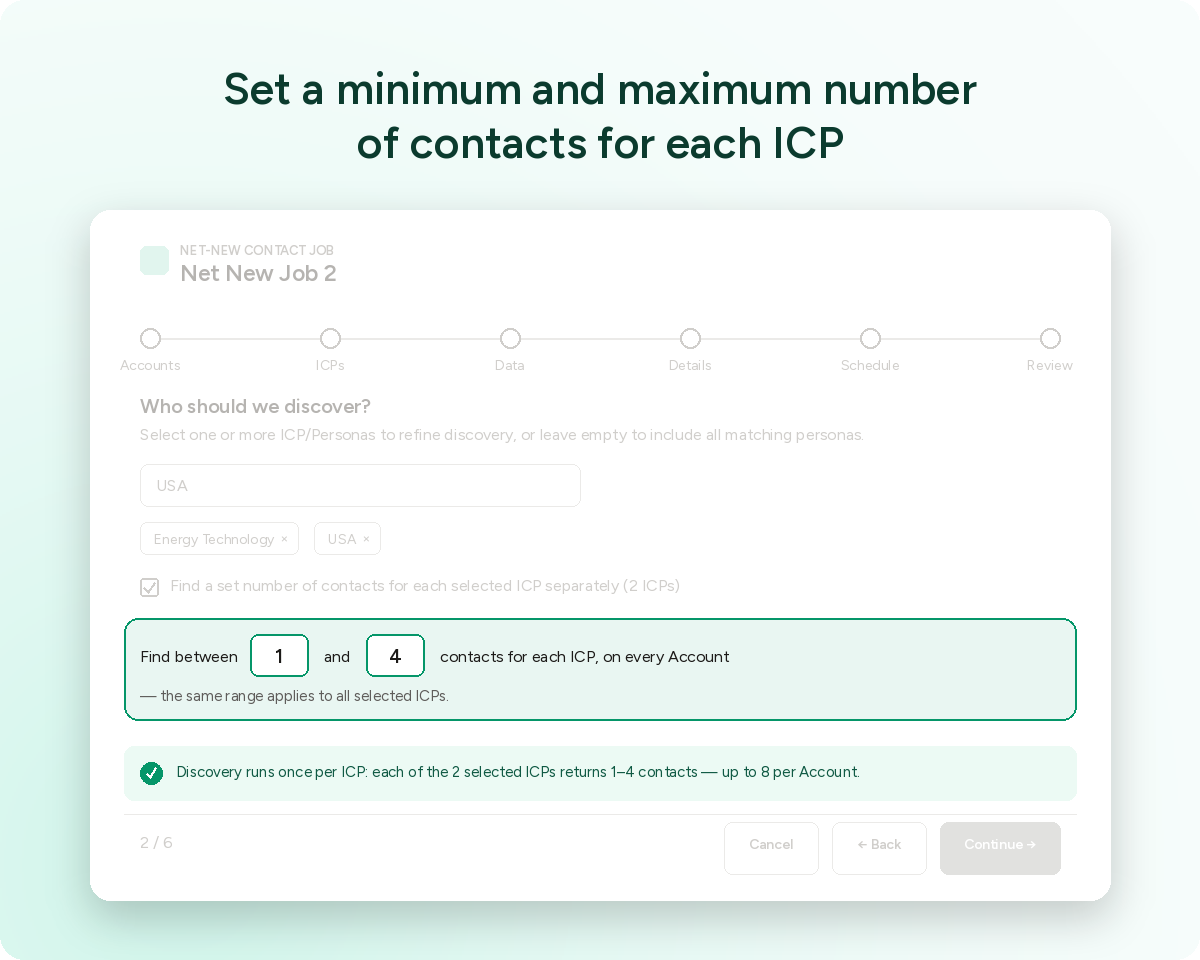
Set a minimum and maximum number of contacts to pull per ICP in a single job.
Map input fields for Account data on Net-New Contacts jobs, instead of relying only on standard Name and Website fields.
Get a demo and discover why thousands of SDR and Sales teams trust LeadIQ to help them build pipeline confidently.
Net-New Contacts and Refresh jobs in the Salesforce App get five new ways to control what runs, when, and on what data.
Here's what changed, starting with how a job gets triggered.
- Net-New Contacts jobs can now start automatically when an account field updates, the same trigger behavior already available for Instant Enrichment. Set a value that matters to your team, and the job kicks off on its own instead of waiting for someone to run it manually.
- Inside a job, you can now set a minimum and maximum number of contacts to pull for each ICP. That keeps a single ICP from using up the job's capacity while others get skipped.
- Account data on Net-New Contacts jobs no longer has to come from the standard Name and Website fields. Map your own input fields instead, useful if your org tracks account identity differently.
- Once a Net-New Contacts job runs, you can report directly on the Contacts and Accounts it touched, without exporting the results somewhere else first.
- And Refresh job creation gets a visual update: both Scheduled and Instant Enrichment jobs now use the same UI as Net-New jobs, so switching between job types feels consistent.
Jobs that start themselves. An account field trigger means a Net-New Contacts job can run the moment your data changes, not on a fixed schedule.
Balanced results across ICPs. Min/max limits per ICP keep one segment from crowding out the rest of a job's output.
Account matching that fits your data. Field mapping means the job can match on whatever fields actually identify an account in your org.
Reporting without extra steps. Contacts & Accounts reports run straight from the job.
One UI across job types. Refresh and Net-New jobs now look and feel the same to configure.
Take a look at your Net-New Contacts and Refresh job setup in the Salesforce App to see all five live.
Questions? Reach out to your AM or our help center.

.png)