Table of Contents


No items found.
Ready to create more pipeline?
Get a demo and discover why thousands of SDR and Sales teams trust LeadIQ to help them build pipeline confidently.


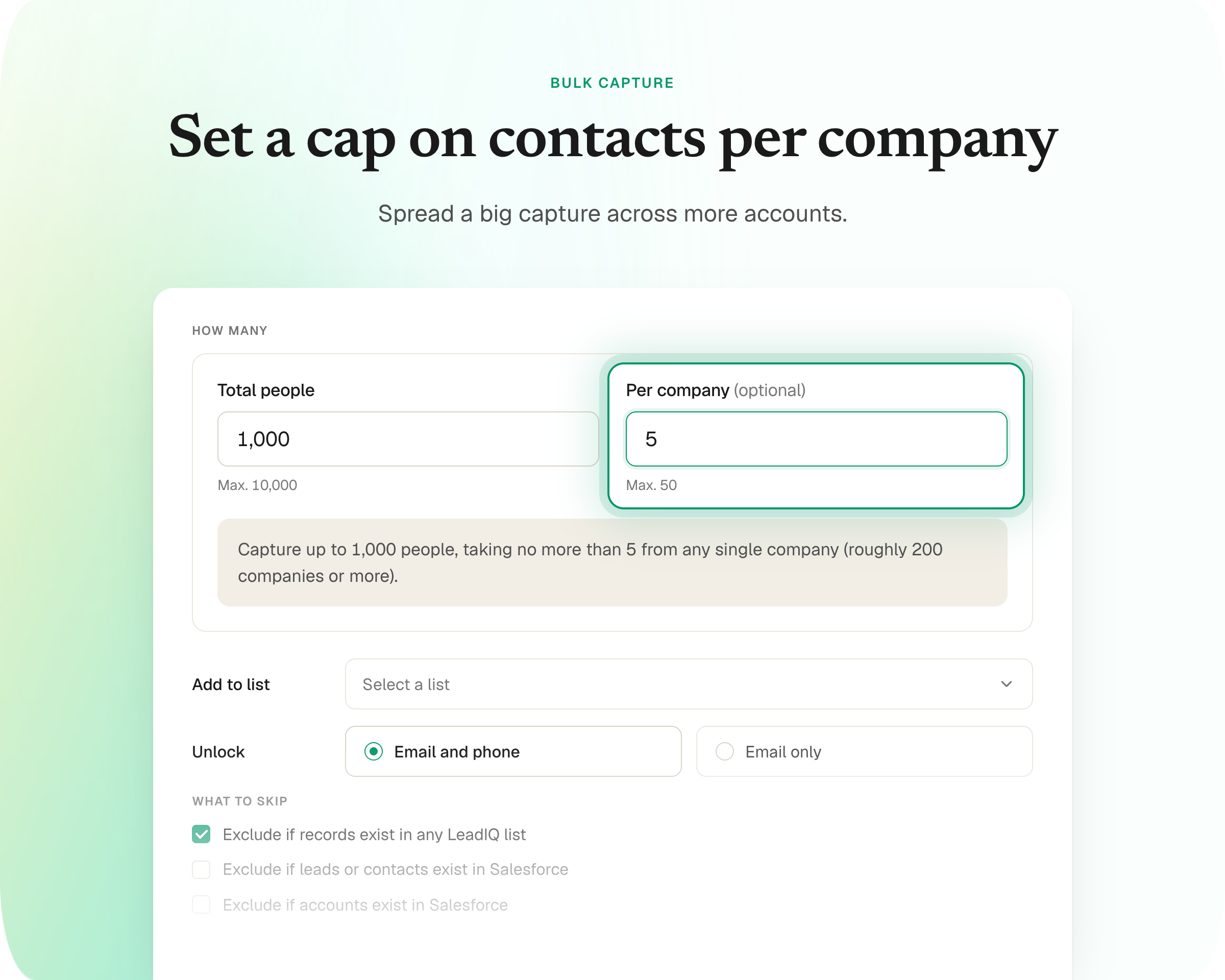

Bulk Capture has a new optional "Per company" field that caps how many contacts get pulled from any single account, spreading a run more evenly across a bigger, more varied list.
The cap is a ceiling, not a target, so accounts with fewer matches still return everything available.
It's live for every customer today, available automatically.
Get a demo and discover why thousands of SDR and Sales teams trust LeadIQ to help them build pipeline confidently.
As target lists grow and cover a wider mix of account sizes, it helps to control exactly how a single Bulk Capture run distributes across them. Enterprise accounts and mid-market accounts sitting on the same list don't have the same number of matching contacts to offer, and Bulk Capture naturally fills up starting with whichever accounts had the most people to give.
Bulk Capture can now cap how many people come from each company, so a run spreads more evenly across a bigger, more varied list instead of loading up on the largest names first.
Even coverage across a bigger list. Set a per-company cap in the Bulk Capture modal and a run spreads across every account on your list, not just the biggest logos.
The cap is a ceiling, not a quota. If a company only has three matching contacts, you still get three. The setting only stops Bulk Capture from pulling more than you asked for per account, it doesn't force it to hit a minimum.
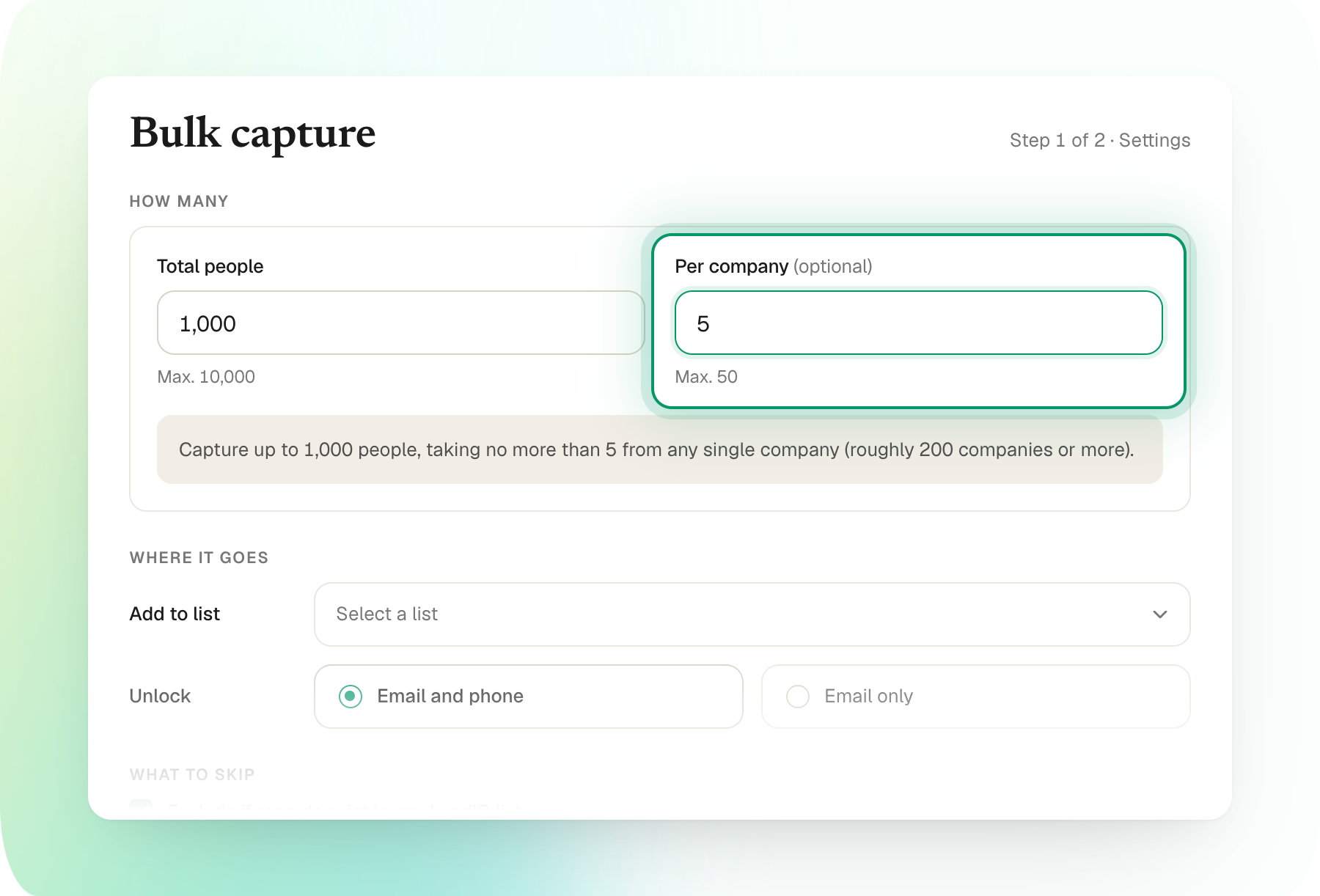
It lives right in the modal you already use. There's a new optional Per company field in Bulk Capture. Set a number when you want even coverage, skip it when you don't.
Run your next Bulk Capture with a per-company cap and see the coverage difference for yourself.
Questions? Reach out to your AM or our help center.
.png)