If you could double your pipeline without doubling your workload, would you do it? Teams using AI to automate sales are finding this kind of success — if implemented correctly.
PUBLISHED:
November 3, 2025
Last updated:
Angus Skinner
Sales Development Manager
If you run this play, you can double pipeline without doubling workload. Not hype, just cutting busy work. Right now, most teams spend the week buried. Research, manual outreach, forgotten follow ups, calendar ping pong, reporting, and suddenly you've got thirty percent of the week left to actually sell. So here's the shift. Let AI do the repetitive stuff so reps stay in the conversation. One system, four moves. Move one, research on autopilot. LeadIQ captures and enriches the right contacts. Pair it with play for buyer signals so lists are built for you, not by you. Move two, outreach that lands. With LeadIQ Scribe, you get three personalized openers in seconds from the CRM plus news. Then sequence with Outreach or SalesLoft or Gong Engage so every touch feels human at scale. Move three, follow ups and meetings handled. AI watches, opens and replies, nudges the next touch automatically, and Chili Piper books the time. Tools like reclaim or clockwise protect focus blocks so nothing slips. Move four, reporting that tells you the next move. Plug call and email data into Gong, Momentum, or Lindy. Now you see risk, next best actions, and clean your CRM. So coaching and forecasting can stop being guesswork. Okay. But don't buy shiny objects. Start with three bottlenecks dealing the most hours. Audit your current tech stack. There's AI you're already paying for. And shortlist three to five tools by use case, pricing model, and integrations. Then trial with one rep two weeks, measure replies, meetings, and hours saved. If it doesn't move s ones, it's out. If you want the full playbook, top tools by category, the pros and cons, and the exact evaluation checklist, read the blog below. And if you want a head start today, grab the lead IQ Chrome extension, pair it with Scribe, cut prep time in half, and give your team their week back. So pipeline goes up without headcount.
Key Takeaways
By automating repetitive administrative tasks, AI sales automation tools help reps reclaim time they can refocus on actual sales activities
From streamlining research to personalizing outreach at scale, there’s no shortage of ways AI automation can increase sales productivity and accelerate pipeline.
Not every tool is the right fit for your org, so it’s important to understand your goals, vet vendors, and test platforms before rolling them out.
Every B2B sales rep knows the grind: endless research, more cold outreach than you can stomach, and so many follow-ups that prospects may start falling through the cracks.
What if AI could handle all that busywork and you could focus entirely on closing?
That’s the promise of AI sales automation. Keep reading to learn more about this new type of technology, the best AI sales automation tools, and how to evaluate them to get the most juice out of the squeeze.
If you run this play, you can double pipeline without doubling workload. Not hype, just cutting busy work. Right now, most teams spend the week buried. Research, manual outreach, forgotten follow ups, calendar ping pong, reporting, and suddenly you've got thirty percent of the week left to actually sell. So here's the shift. Let AI do the repetitive stuff so reps stay in the conversation. One system, four moves. Move one, research on autopilot. LeadIQ captures and enriches the right contacts. Pair it with play for buyer signals so lists are built for you, not by you. Move two, outreach that lands. With LeadIQ Scribe, you get three personalized openers in seconds from the CRM plus news. Then sequence with Outreach or SalesLoft or Gong Engage so every touch feels human at scale. Move three, follow ups and meetings handled. AI watches, opens and replies, nudges the next touch automatically, and Chili Piper books the time. Tools like reclaim or clockwise protect focus blocks so nothing slips. Move four, reporting that tells you the next move. Plug call and email data into Gong, Momentum, or Lindy. Now you see risk, next best actions, and clean your CRM. So coaching and forecasting can stop being guesswork. Okay. But don't buy shiny objects. Start with three bottlenecks dealing the most hours. Audit your current tech stack. There's AI you're already paying for. And shortlist three to five tools by use case, pricing model, and integrations. Then trial with one rep two weeks, measure replies, meetings, and hours saved. If it doesn't move s ones, it's out. If you want the full playbook, top tools by category, the pros and cons, and the exact evaluation checklist, read the blog below. And if you want a head start today, grab the lead IQ Chrome extension, pair it with Scribe, cut prep time in half, and give your team their week back. So pipeline goes up without headcount.
What is AI sales automation?
AI sales automation is the process of using technology to manage repetitive sales tasks like data entry, lead tracking, and follow-ups. By reducing manual work, AI sales automation helps reps spend more time selling.
In the past, sales automation relied on static rules. For example, If a lead didn’t respond to a message within three days, traditional sales engagement software would send out a reminder. Easy enough.
In the age of AI, artificial intelligence now brings adaptability to the process. AI-powered sales automation tools can learn from past interactions to personalize outreach and prioritize leads without human input. More advanced than automation of yore, AI can predict buying intent and suggest next steps, analyzing data to suggest the best times to engage prospects — and the right messages to send.
AI sales automation encompasses a variety of tasks, including:
Prospect research. AI tools can scan CRM data, LinkedIn, and other data sources to automatically identify prospects that align with your ideal customer profile (ICP). They can also score leads based on intent data, past buyer behavior, and firmographics, among other criteria.
Outbound outreach. The tech can also automatically personalize messages at scale, pulling data directly from CRM records and past interactions. It also uses predictive analytics to figure out the best times and channels to reach out. Suddenly, cold email is simple.
Follow-up. AI tracks engagement — opens, clicks, and replies — and sends personalized follow-ups automatically, ensuring no leads are forgotten.
Meeting scheduling. Sick of back-and-forth emails just to schedule a single meeting? AI can save the day here, too, proposing optimal meeting times based on availability. Some tools can even join meetings to take notes and produce transcripts automatically.
Reporting. By consolidating data from multiple tools, AI sales automation identifies trends, forecasts pipeline health, and flags risks before they escalate, ensuring teams stay informed and aligned about the most important matters.
And guess what? Many of these tools can or will be automated through the latest features in your existing tech stack! 🥳
Ultimately, the goal of AI sales automation is to help sellers spend more time on high-value tasks while ensuring sales leaders have the data they need to make critical decisions.
Best AI platforms for automating sales
There’s no shortage of AI sales automation tools, each built to streamline different core functions. In this section, we examine the top tools across four key areas: prospect research, outbound engagement, follow-ups, and reporting.
Best AI sales automation tools for prospect research
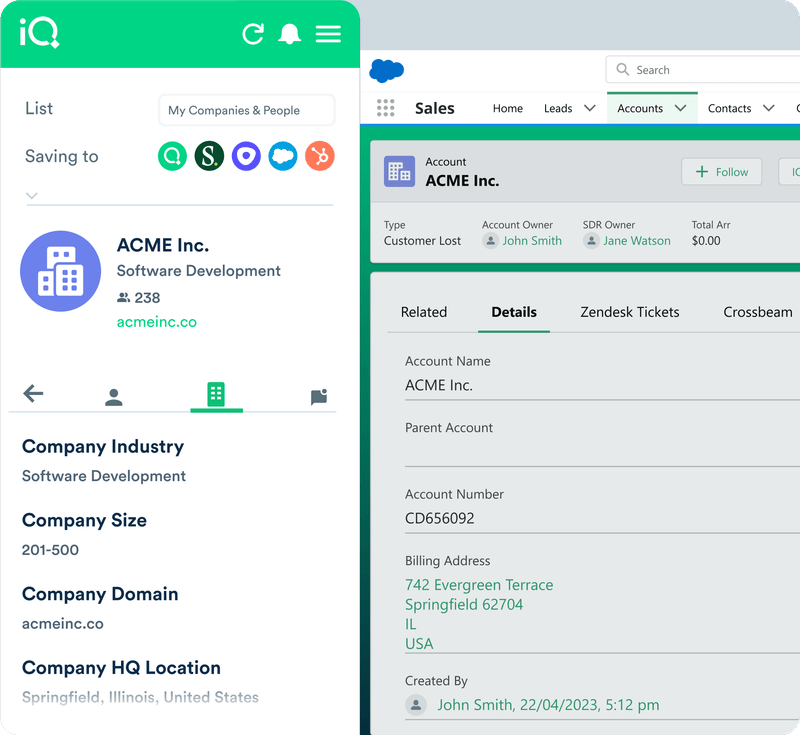
LeadIQ is a B2B contact data and sales intelligence platform designed to help revenue teams work more efficiently across the entire sales process, from prospecting to close. With LeadIQ, reps can capture contact data from LinkedIn and company websites and personalize outreach at scale using information automatically pulled from CRM records, past interactions, company news, and 10-Ks, among other things.
LeadIQ features:
Capture contact data easily and sync it to your CRM in just a few clicks to create and maintain a single source of truth
Track contacts and champions automatically to identify sales opportunities and reach out to people who love your products at the best times
AI data enrichment capabilities ensure CRM records are always up to date with accurate contact, demographic, firmographic, and technographic information
Connect LeadIQ with other sales tools, including LinkedIn, HubSpot, Salesforce, Outreach, and Salesloft, to streamline workflows and eliminate data silos
Personalize outreach at scale using LeadIQ Scribe, our generative AI-powered writing partner (more on this in a bit)
LeadIQ pros
A powerful B2B contact database, including EMEA data, lets teams sell effectively all over the world
Connects with tools you’re already using, including Chili Piper, Clay, Nooks, and Groove by Clari
Highly rated on review sites like G2, including Fall 2025 awards for Highest User Adoption, Mid-Market Leader, and Most Implementable, among others
Roadmap filled with tons of AI-powered sales features, future-proofing sales tech needs
Intuitive design makes LeadIQ easy to use, leading to widespread adoption and rapid ROI
Automate manual sales tasks, like data entry and research, to spend more time selling
LeadIQ cons
Not ideal for startups and small sales teams (but we do have a free tier!)
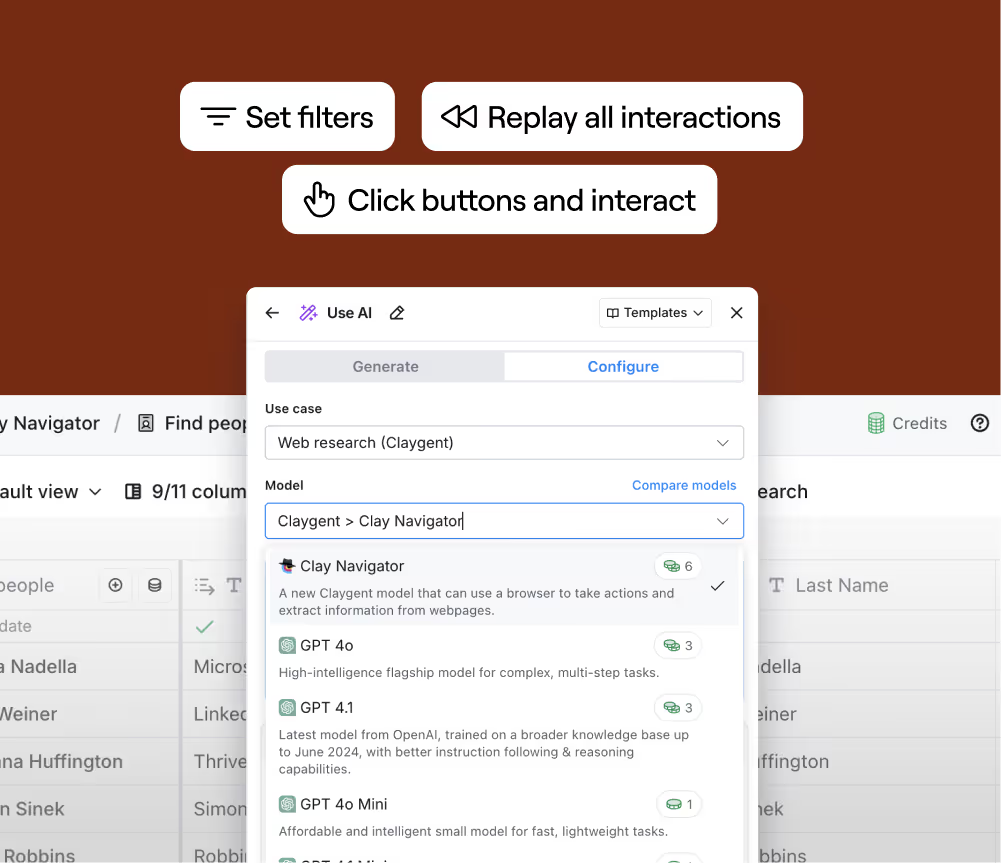
Clay is a data enrichment and signal tracking sales tool that helps GTM teams use behavioral insights to engage prospects at the best times. With over 150 data providers, Clay — a LeadIQ partner — helps sales teams learn more about each lead before engaging them, making it easier to sell more.
Clay features:
Aggregate data from over 150 providers to enrich every prospect, using real-time data gathering capabilities to ensure records are accurate before engaging
Segment leads using over 300 different attributes to zero in on your ICP and target the best prospects at the best times
Use AI writing tools to personalize outreach at scale to increase engagement and book more meetings
Leverage Sculptor, Clay’s AI copilot, to build tables and surface insights rapidly using natural language prompts
Clay pros:
Automate inbound lead enrichment, scoring, and outreach by using AI to bridge any missing data gaps
Score leads automatically using an AI research agent and Clay’s comprehensive data network
Tons of social proof; trusted by leading GTM teams like Rippling, HubSpot, Canva, Notion, Perplexity, Uber, Figma, Google, OpenAI, Okta, and more
Clay cons:
Premium features available at higher price tiers, which can be prohibitive for smaller teams
Some users report that Clay has a steep learning curve and is difficult to implement
HubSpot Breeze
G2 score: 4.5/5 stars (14,029 reviews for HubSpot)
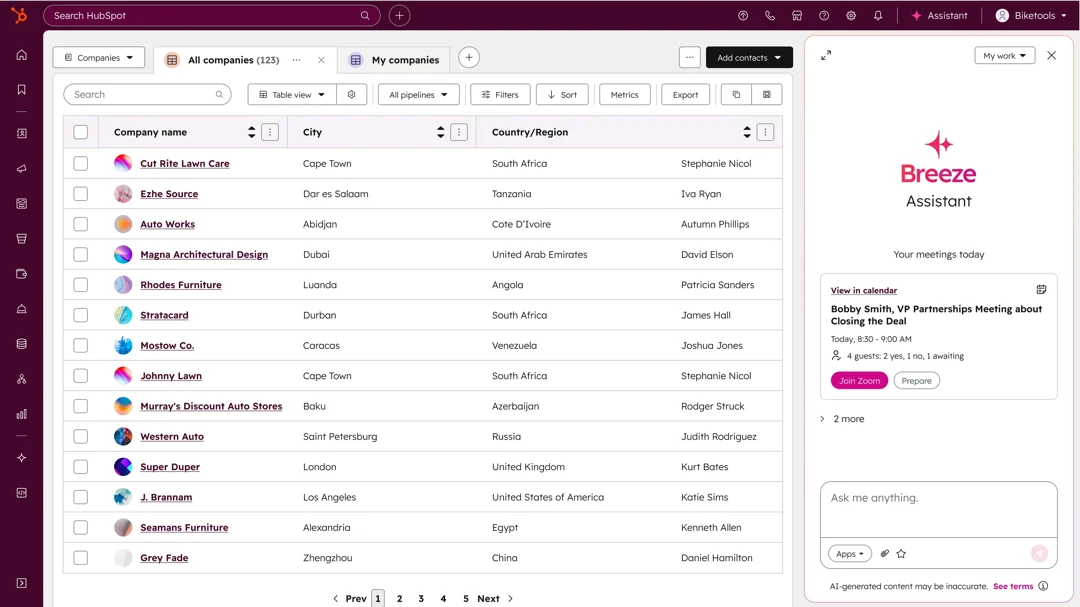
HubSpot Breeze is HubSpot’s AI assistant embedded into its sales and marketing platform. With Breeze Prospecting Agent, sales teams can automatically monitor enrolled accounts and prospects for buying signals and then engage them with personalized outreach at opportune times.
HubSpot Breeze features:
Prospect automatically using AI after enrolling target accounts and letting the technology figure out the best time to engage and the right message to send
Create personalized messages for different product offerings and different audiences
Consolidate data from multiple sources into HubSpot to accelerate workflows, reduce context switching, and maintain a single source of truth
Full suite of AI-powered tools, including customer support, content creation, coaching, sales reporting, and more
HubSpot Breeze pros
Personal assistant that lives directly in the HubSpot interface, enabling you to leverage AI without jumping between tabs or tools
Support for multiple languages, helping teams prospect in different regions while connecting with audiences authentically
Enroll in HubSpot Academy, watch videos, and access HubSpot’s knowledge base to learn how to unlock the full power of Breeze on your own terms
HubSpot Breeze cons:
Not a good match for sales teams that don’t already use HubSpot, unless you’re keen on a big change
Starts at $800/month for three users, with extra seats at $45/month, which can be pricey for cash-conscious teams
Best AI sales automation tools for outbound & follow-up
LeadIQ Scribe
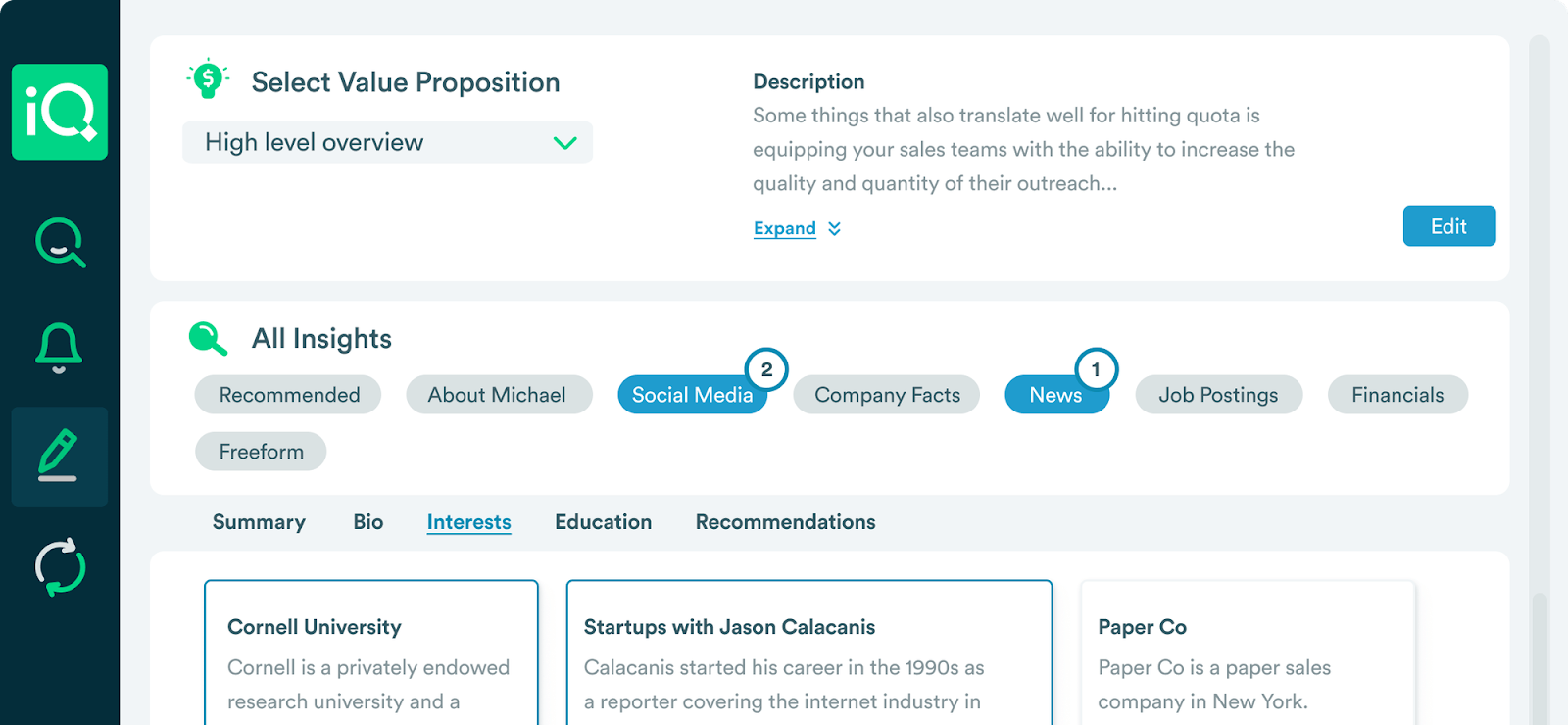
LeadIQ Scribe is LeadIQ’s generative AI writing partner that helps reps personalize outreach at scale using persona information, CRM records, value props, and unique insights from LeadIQ. In just a few clicks, LeadIQ creates three personalized messages, giving reps options they can adjust however they see fit.
LeadIQ Scribe features:
Personalize outreach at scale easily to increase open rates, engagement, click-throughs, and meetings booked, ultimately leading to more deals
Continuously learns from rep feedback; after each message, reps can click thumbs up or thumbs down icons to train the AI on what’s working and what isn’t
Integrates with other sales tools, like HubSpot, Outreach, Groove, Salesforce, and Gong, letting reps prospect from their preferred tools
Multilingual support, including English, Spanish, French, German, and Italian, enabling reps to prospect efficiently around the world
Outreach is a sales engagement platform that helps RevOps teams automate outbound and follow-up activities. It’s filled with a slew of features designed to help teams sell more, including pipeline management, sales forecasting, and sales coaching tools.
Outreach features:
AI-powered engagement tools personalize outreach and follow-ups automatically
AI agents take care of a variety of sales functions, including research, identifying high-intent accounts, data enrichment, and meeting planning
Conversation intelligence helps managers identify trends, speed up onboarding for new hires, and ensure sellers run more engaging meetings
Deal insight tools help reps prioritize the best opportunities, flag at-risk deals, and leverage actionable insights to increase win rates
Outreach pros:
G2 reviewers largely agree that Outreach is easy to use and makes following up easy
Feature-rich platform that helps sales teams manage pipeline more effectively and forecast more accurately
Customer lifecycle management capabilities to help reps upsell and cross-sell more effectively while mitigating churn and boosting renewals
Outreach cons:
Some users express concerns with technical support efficiency
Customers also say the platform struggles to integrate with other tools in their stack
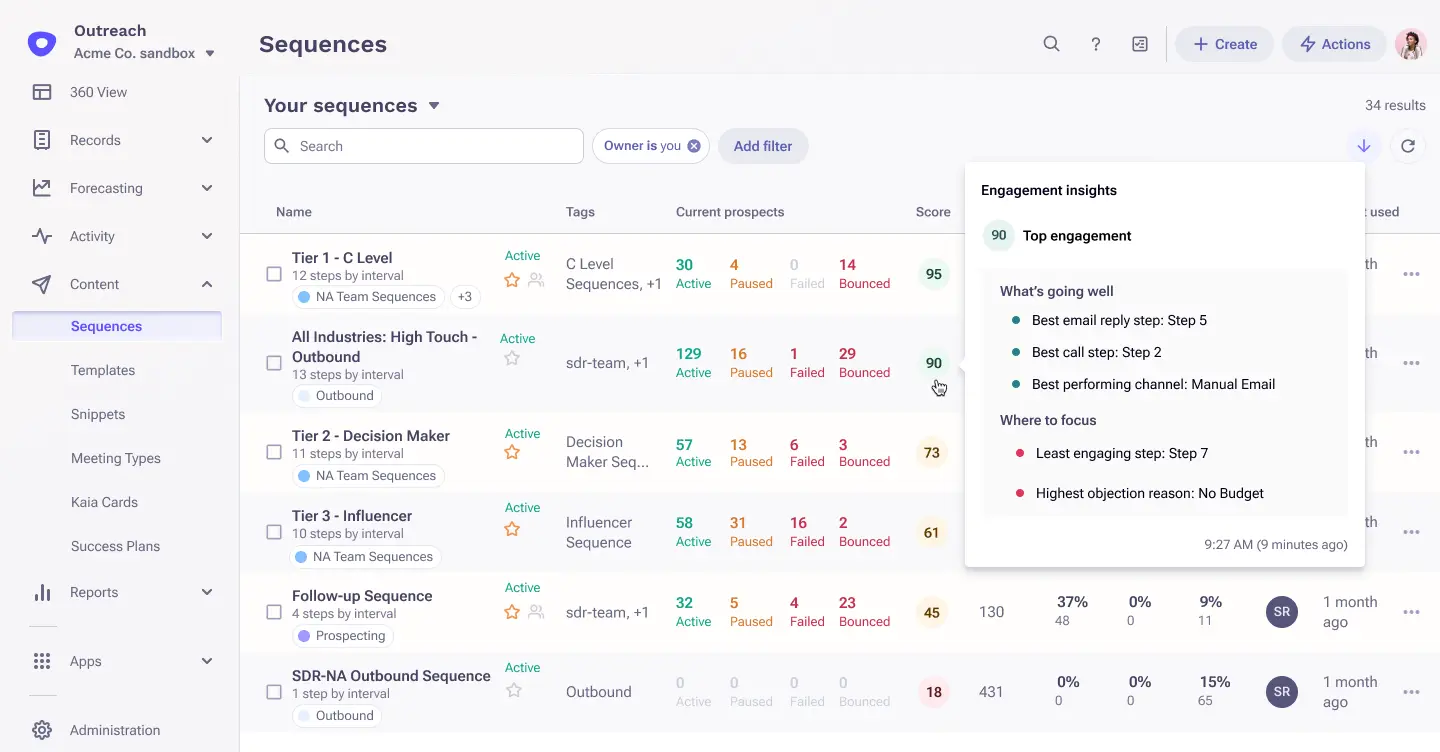
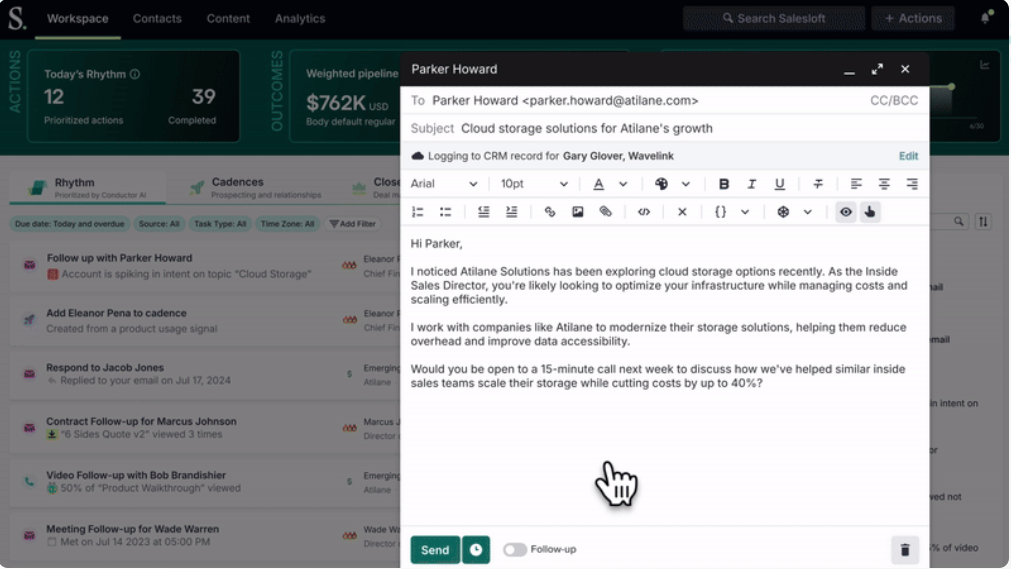
Salesloft is a sales engagement platform that helps teams manage outbound outreach and follow-up workflows. With email sequencing, call tracking, meeting management, and AI-powered analytics, Salesloft helps teams engage more prospects effectively and achieve better sales outcomes.
Salesloft features:
Automates administrative tasks, like capturing activity and enriching contact data, to reclaim time and focus more on selling
Surfaces insights about high-intent buyers and suggests actions reps can take to engage them most effectively using Salesloft Rhythm
Personalizes cadences at scale and engages buyers across channels to nurture leads and close deals
Salesloft pros:
Users overwhelmingly agree that Salesloft is easy to use, enabling reps to use the platform productively
Automating repetitive work helps reps save time they can invest in devising more effective outreach strategies
Feature-rich platform, with tools that go beyond outreach, including real-time website visitor engagement, sales forecasting software, and AI-driven conversation intelligence
Salesloft cons:
Pricing information isn’t available on Salesloft’s website; the platform could be too expensive for many teams, but you won’t find out unless you talk with them
Users express concerns over software glitches, a lack of support, and integration challenges
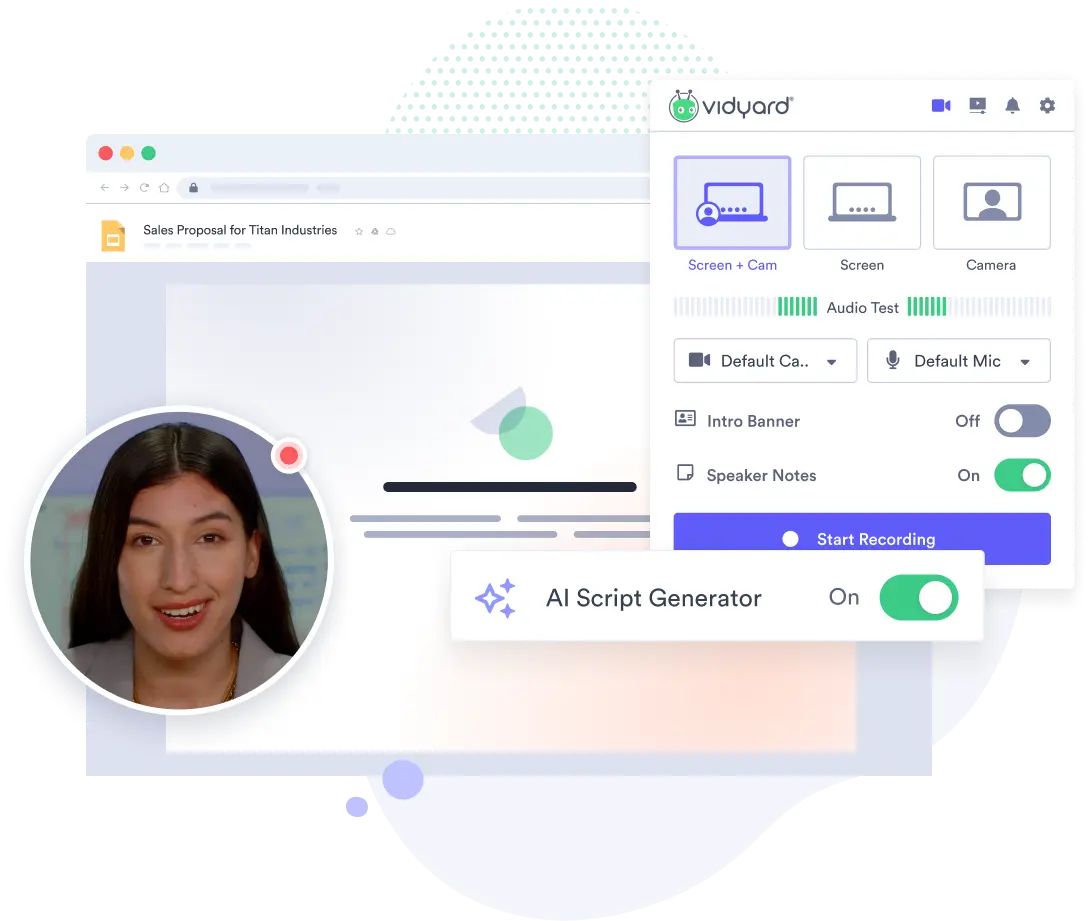
Vidyard is a video platform that lets reps record and share personalized videos throughout the sales process. By incorporating video into sales cadences, reps add a human touch to their outbound and follow-up efforts, boosting engagement and response rates.
Vidyard features:
Create personalized video messages rapidly using pre-made templates and AI-driven script generation
Use AI Avatars to generate and send personalized videos without having to actually record them
Integration with other popular sales tools, including Gong, HubSpot, Marketo, and Salesforce, simplifies workflows and manual data entry
Vidyard pros:
Intuitive platform that’s easy to use, with little learning curve, lets reps quickly incorporate personalized videos into prospecting
Sends notifications when prospects have watched your videos, allowing you to follow up right away
Offers a free tier, which lets you try the platform for free without having to make any financial commitments
Vidyard cons:
Premium features are only available at higher price points, which may put the platform out of reach for small teams with big goals
Some users say the platform doesn’t offer enough customization options, which can make it difficult to make videos truly your own
Best AI sales automation tools for meeting scheduling
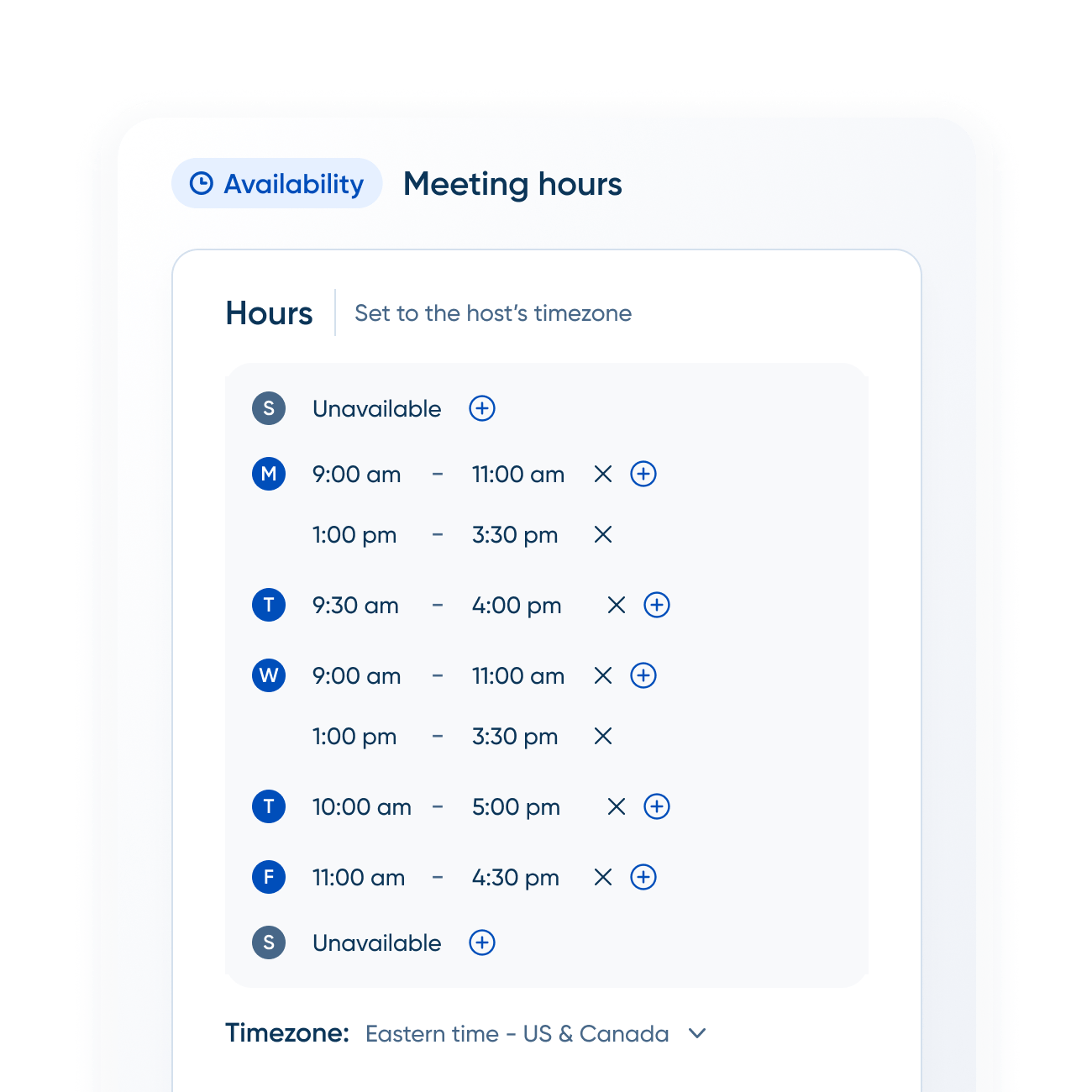
Calendly is an automated scheduling platform that helps sales teams book meetings without back-and-forth emails. Using AI, Calendly suggests the best meeting times and manages rescheduling and follow-ups automatically.
Calendly features:
Sync personal and work calendars to avoid double bookings and having to reschedule meetings with high-intent prospects
Invite Notetaker to meetings to summarize each call and suggest action items automatically (beta feature)
Automate meeting reminders and follow-ups to increase the chances calls are held as scheduled
Calendly pros:
Qualify website visitors in the moment and route them to the most appropriate rep after learning more about their unique circumstances
Track performance over time with Calendly Analytics to learn more about the best times to meet each week and identify top performers
Connect Calendly to tools you already use, like Zoom, Salesforce, HubSpot, and Slack, to streamline meetings, keep CRM records up to date, and receive automated meeting notifications
Calendly cons:
Calendly offers a free tier, but users say more advanced features may be too pricey for smaller teams
Calendly is a solid scheduling tool but its features are largely limited beyond that
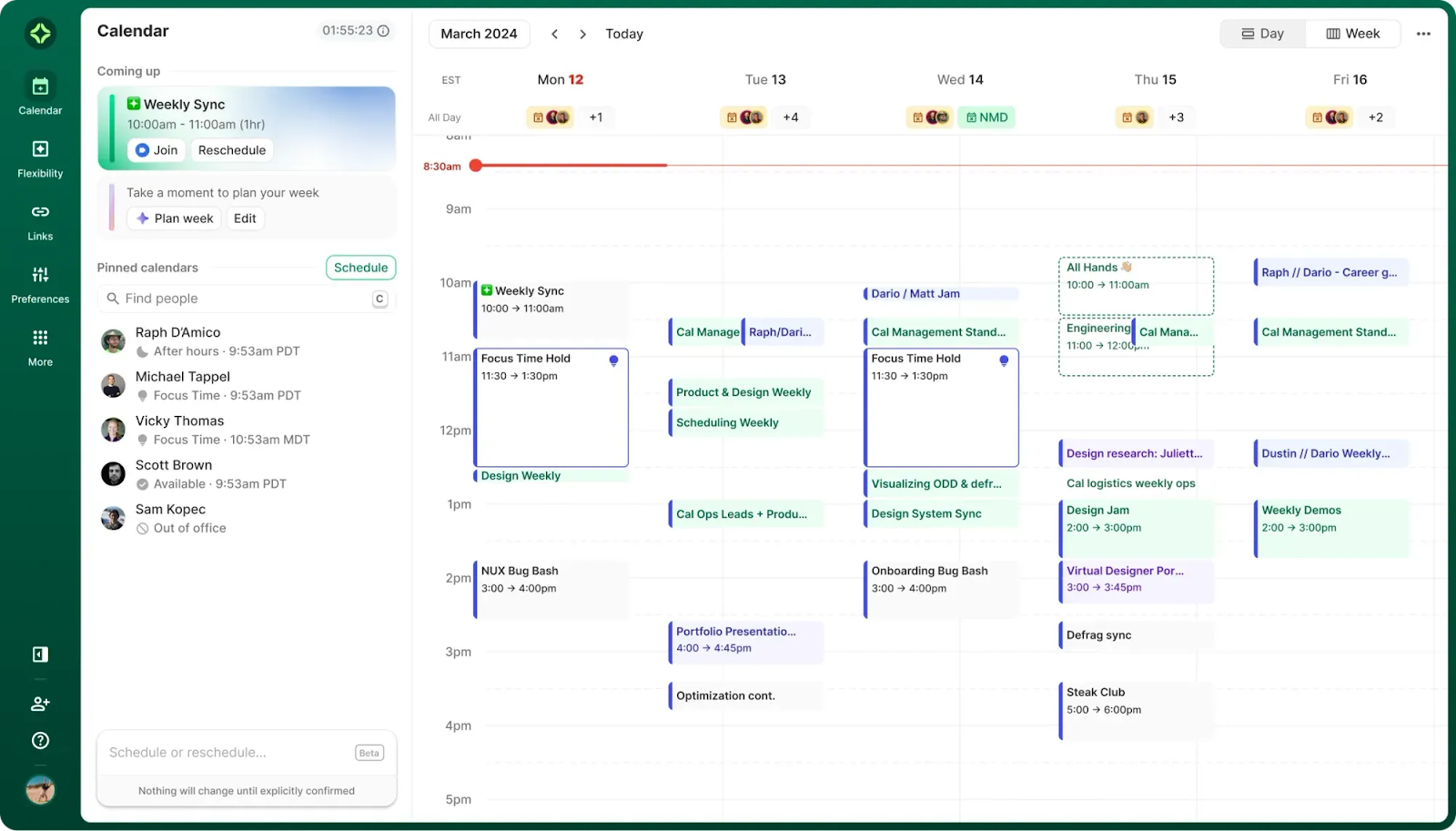
Reclaim AI by Dropbox is a scheduling tool that automatically prioritizes and blocks off time for tasks, meetings, and breaks in your calendar. Using AI, the platform dynamically adjusts schedules based on changing priorities, ensuring sales teams have the time they need to stay on target.
Reclaim AI by Dropbox features:
Automatically finds the best meeting time for all attendees, preventing endless back-and-forth email threads
Using Focus Time, reps can block off chunks of their schedule to focus on important work
Prioritizes meetings over lower-priority events to make sure reps don’t give warm leads time to cool off
Reclaim AI by Dropbox pros:
Finds the best time for recurring customer meetings, with the ability to automatically reschedule around conflicts as they pop up
Integrates with tools like Slack, Asana, ClickUp, Jira, and Zoom to streamline workflows and automatically block time for focused work
Free tier lets reps test the platform with minimal functionality to see whether it’s a good fit; Reclaim AI also offers discounts for switching providers and startups
Reclaim AI by Dropbox cons:
Doesn’t have a native iOS or Android mobile app (but is built to be mobile-compatible with a responsive web app)
Some users say the platform’s task management capabilities are hard to use, which can impede workflows
Clockwise is an AI-powerful meeting scheduling tool that optimizes reps’ availability by arranging meetings intelligently and blocking off time to focus on what’s most important. The platform is designed to help reps strike the perfect balance between prospect meetings and uninterrupted blocks of time so they can do their best work.
Clockwise features:
Schedule meetings automatically with an AI autopilot that knows your schedule and can find the best meeting times with simple written prompts
Optimize your schedule based on booked meetings to ensure you have blocks of time set aside for deep work
Send meeting links to prospects so they can book times that work best for them with you lifting a finger
Clockwise pros:
Helps reps eliminate back-and-forth availability emails and reclaim time for strategic work, like building relationships
Seamlessly integrates with Google Calendar, making it an ideal choice for teams that use Google Workspace
Free tier lets teams test the waters before making a commitment
Clockwise cons:
Currently in beta for Microsoft users, which makes it a non-starter for teams that use Office 365 and Outlook and expect seamless software experiences
Premium features, like the ability to meet with teammates and prospects at the same time, are only available in higher tiers
Best AI sales automation tools for reporting and analytics
Gong is an AI-powered revenue intelligence platform that uses AI to analyze sales calls, emails, and meetings to surface insights about customers. With AI reporting and analytics features, Gong makes it easy for sales teams to accurately predict revenue and optimize rep performance.
Gong features:
Analyzes customer interactions, leveraging learnings to personalize outreach and suggest the next-best action
Gives reps visibility across deals and pipeline, helping reps identify at-risk deals while giving sales leaders the data they need to coach their teams more effectively
Captures data from sales conversations that otherwise would disappear into the ether, helping reps learn about prospects and customers on a deeper level
Gong pros:
Has a reputation for being easy to use and easy to implement, helping teams get up and running quickly
Integrates with tons of sales tools, including LeadIQ, Chili Piper, Clay, Salesforce, Zoom, Salesloft, and LinkedIn Sales Navigator, helping teams streamline workflows and maintain a single source of truth
Surfaces powerful insights that help reps teams find the most important information faster, making it easier to address pain points, handle objections, and close deals
Gong cons:
Opaque pricing data; Gong charges per-user fees along with a platform fee, but you’ll have to meet with the team to figure out how much you might pay
Some users report inaccuracy with AI-produced transcripts, along with inadequate AI search functionality
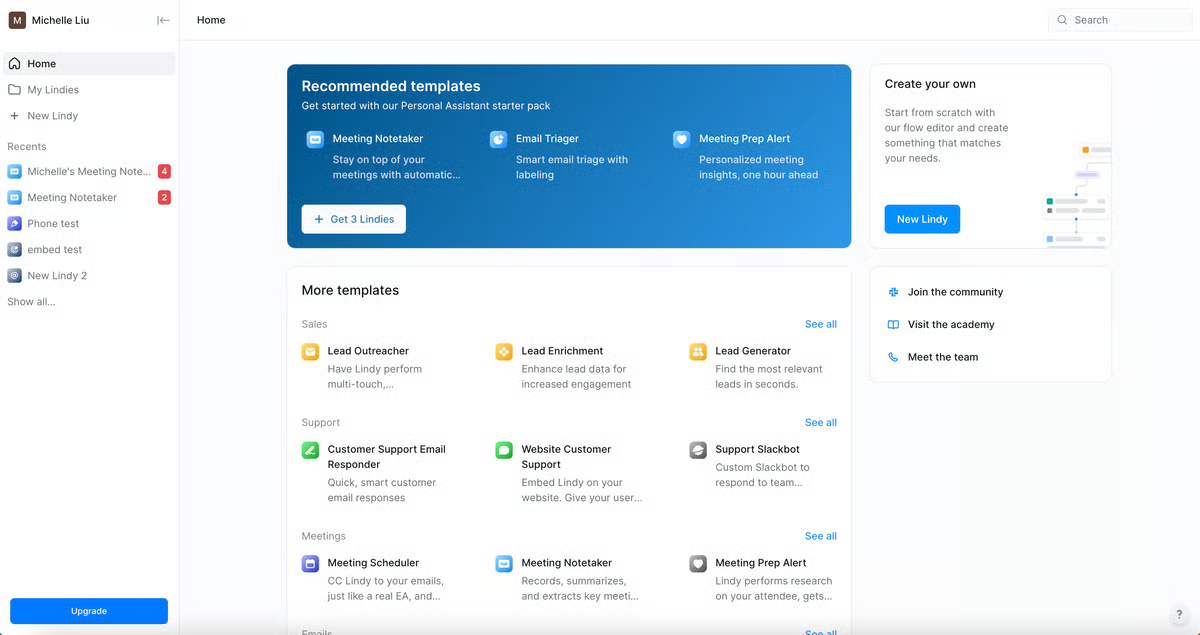
Lindy is a workflow automation platform that lets you create AI agents for all sorts of tasks, including agents that automate reporting and analytics by connecting to data sources and delivering intelligent recommendations. The platform features tons of pre-built templates, and reps can also create bespoke agents without writing any code.
Lindy features:
Create apps simply by describing them via text, and Lindy builds them for you
Find leads, enrich records, and write personalized emails automatically to prospect and nurture leads at scale
Schedule meetings and take notes automatically so reps can focus more intently on the conversation at hand
Lindy pros:
Agents automate repetitive work, helping teams reclaim significant chunks of time
Many users say that the platform is intuitive and easy to use, which can help teams see results faster
Free tier lets teams experiment with lightweight agents with no risk
Lindy cons:
Offers credit-based pricing, which can make it difficult to predict costs
Despite a general consensus that the platform is easy to use, some reviewers say Lindy has a steep learning curve, which could thwart adoption and delay ROI
Momentum is an AI-powered revenue orchestration platform that automatically captures and organizes data from sales calls and customer interactions, piping it into your CRM in real time. Feature-rich, Momentum automates key sales tasks, like follow-ups and churn signals, and produces reports and analytics sales teams can use to improve forecast reliability and optimize performance.
Momentum features:
Provides insights into pipeline performance, account health, and sales rep activity, making it easy for leaders to predict revenue more accurately
Offers research tools that analyze customer calls, emails, and CRM data rapidly to deliver next-best actions
Automatically improves data hygiene by capturing customer data and using AI to structure and validate CRM records
Momentum pros:
Users largely agree Momentum is easy to use, so most reps can manage tasks and nurture leads effectively
Momentum offers responsive customer support, with users reporting problems they faced were solved quickly and effectively
Collaborative features help GTM teams stay aligned and on the same page, which helps ensure seamless customer journeys
Momentum cons:
The biggest gripe on G2 is that AI-produced notes are inaccurate (noticing a trend here?), which has downstream impacts on reporting and analytics
No free tier or free trial advertised; Momentum starts at $69/user/month, which can make it too expensive for some teams
How to evaluate AI sales automation tools
The AI sales automation market is crowded, with new tools debuting all the time, each promising new bells and whistles that’ll help your team crush your quota.
When shopping for an AI automation platform, it’s important to look at features. But more than that, you need to make sure the tools align with your sales process, tech stack, and the way your team works.
While the right tools can accelerate pipeline and help your reps accomplish more, the wrong ones can add friction that slows your team down. As you begin searching for the right tools for your business, follow these steps to ensure you make the best choice.
Identify problems
The first step in figuring out what to automate is identifying the biggest issues impacting your team. Start by mapping out your existing sales workflow — from lead generation to deal close and beyond. Talk directly to your sales reps to figure out what’s slowing them down, whether that’s manual data entry or time-consuming research. After these conversations, identify the three biggest pain points that eat up the most time or cause reps to miss opportunities.
Generally speaking, you’ll want to target tasks that are repetitive and rules-based (think if this, then this), which are prime candidates for automation. Once you’ve identified the targets, begin thinking about what success looks like. Maybe it’s increasing your follow-up response rates by 10% or reducing manual tasks by 20%, for example.
Look at your existing tool stack
Adding AI sales automation capabilities to your workflows doesn’t necessarily require investing in tons of new tools. In fact, you might already have AI-enhanced features in your existing tech stack, and you might not even realize it!
Review your current CRM, email automation, prospecting, and analytics tools to see whether that’s the case. You can also shoot vendors a quick message asking whether they’ve got AI capabilities you’re not using — or whether any are coming down the roadmap.
Bottom line? Before investing in a brand-new platform, make sure you actually need it.
Create a short list
Using sites like G2 and TrustRadius, research AI sales automation tools in the category you’re considering. Filter options based on relevant criteria — like core use case, pricing, and company reputation. Since the last thing you want is to choose a platform only to have to switch a few months later, make sure the solution is actively being developed. To accelerate ROI with your ultimate selection, look for tools that have solid documentation and super responsive support.
At this stage, narrow down your options to three to five top candidates, and study each of them on a deeper level before making a decision.
Understand pricing, integrations, and scalability
AI pricing can be confusing. There’s no doubt about it.
Many vendors use credit-based billing systems that charge you based on how much data you use or how many API calls you make (some vendors offer universal credits, which makes things easier). Before signing any contracts, do your due diligence to get a better idea of how much you’ll pay each month.
After you understand pricing, see how easily the tool connects to the rest of your stack, including your CRM, marketing platform, and sales tools. Even if the vendor doesn’t have many native integrations, check whether it supports tools like Zapier or offers open APIs that enable you to create custom workflows.
Since the goal is scaling your business, choose a tool that can keep pace with your growth. Beyond ease of use and adoption, consider things like compliance (e.g., GDPR and SOC 2), security, and multilingual support to ensure the tools can be deployed across different languages and countries.
Ask for a trial
Even if companies don’t advertise free trials on their website, it never hurts to ask. Oftentimes, vendors will give you a sandbox environment to play around in, if not some amount of time (e.g., two weeks) to test the features out in the wild.
If the vendor does offer free trials, it’s still worth reaching out for a demo, since their team will be able to help you use specific features that you might not have realized are available.
Pro tip: Make sure at least one rep from your sales team is involved throughout the process so you can get practical feedback on whether the tool would be useful for your organization.
LeadIQ is your partner for AI sales automation
AI sales automation has the power to transform the way revenue team works, eliminating repetitive tasks and helping them invest more energy in actually selling.
But you can’t just invest in AI-driven sales tools and expect the world. Unlocking the full promise of the technology is only possible when you have highly accurate data fueling it.
Here at LeadIQ, we’re committed to ensuring reps always have access to actionable data. In addition to our robust B2B contact data, we also have partnerships with companies like Clay and Chili Piper that enrich our data even more — and partnerships with companies like Gong and Nooks to strengthen our offerings across the entire sales automation ecosystem.
Here’s to automating busywork away and crushing your numbers this quarter and beyond!
Learn with LeadIQ
Enjoyed this content? Subscribe to receive B2B sales insights, prospecting tips, and updates on upcoming webinars and workshops delivered to your inbox.







.png)

.png)
.png)